Node.js + MongoDB - Multi-Document Transactions
Atomic multi-collection writes via mongoose ClientSession, wrapped in a reusable withTransaction helper
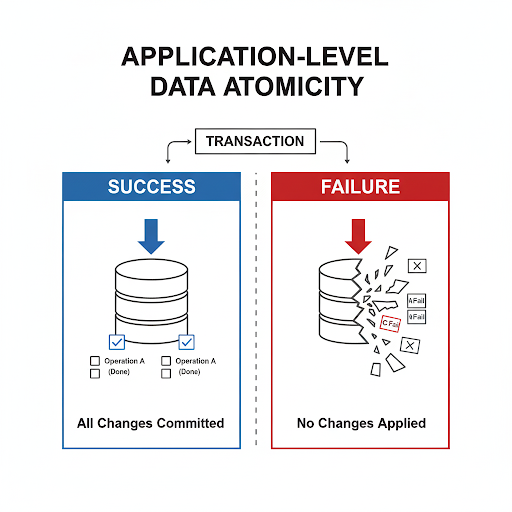
Summary
- Application-level data atomicity implemented using mongoose’s
ClientSessionin a NestJS app with modular architecture. - A session (i.e. a transaction) is opened by an orchestration module. The corresponding core modules then run their operations under that session against a MongoDB replicaSet. If all operations succeed, the session commits the writes atomically; otherwise the transaction aborts and the DB is left untouched.
Background
It’s quite natural for a data document (i.e. a record in RDBMS terms) to be split across multiple related documents in separate collections — think of it as normalization for cleaner service-data management. Almost every decision comes at a cost in engineering, and in this case a single API request may now encapsulate multiple data CRUD (Create, Read, Update, Delete) operations. To keep data integrity in check, application-level data atomicity was applied.
To get atomicity at the application layer with MongoDB, I went with ClientSession from the mongoose package — it lets you encapsulate operations in a “session”. There are a couple of prerequisites for ClientSession to work (see the Prerequisite section below).
Prerequisite
MongoDB does not support multi-document transactions on standalone instances — a replicaSet (or sharded cluster) must be available. The transaction protocol depends on the replica set’s oplog, majority-committed snapshots, and logical clock to provide snapshot isolation and atomic commit/rollback; none of that infrastructure exists on a standalone instance, so ClientSession simply can’t operate there.
- localhost or VM → edit
mongod.confdirectly and initiate a replicaSet. - MongoDB Atlas (cloud.mongodb.com) → no extra setup; replicaSet is on by default.
To call ClientSession ergonomically via a withTransaction helper, the following snippet needs to be available.
1
2
3
4
5
6
7
8
9
10
11
12
13
14
15
16
17
18
19
20
21
22
23
24
25
26
27
28
29
30
31
32
33
34
35
36
37
38
39
40
41
42
43
44
45
46
47
48
49
50
import { Connection, ClientSession, ReadPreference, ReadConcern, WriteConcern } from 'mongoose';
import { Logger } from '@nestjs/common';
import { TransactionException } from '../exceptions/transaction.exception';

type TransactionOperation<T> = (session: ClientSession) => Promise<T>;

interface TransactionOptions {
  readPreference?: ReadPreference;
  readConcern?: ReadConcern;
  writeConcern?: WriteConcern;
  maxCommitTimeMS?: number;
  operationName?: string;
}

export async function withTransaction<T>(
  connection: Connection,
  operation: TransactionOperation<T>,
  options?: TransactionOptions
): Promise<T> {
  const logger = new Logger('TransactionUtil');
  const session = await connection.startSession();
  const operationName = options?.operationName ?? 'Unknown Operation';

  try {
    logger.verbose(`Starting transaction for: ${operationName}`);

    const result = await session.withTransaction(
      async () => operation(session),
      {
        readPreference: options?.readPreference ?? 'primary',
        readConcern: options?.readConcern ?? { level: 'local' },
        writeConcern: options?.writeConcern ?? { w: 'majority', j: true },
        maxCommitTimeMS: options?.maxCommitTimeMS ?? 5000,
      }
    );

    logger.log(`Transaction completed successfully for: ${operationName}`);
    return result;
  } catch (error: any) {
    logger.error(`Transaction failed for ${operationName}: ${error.message}`);

    throw new TransactionException(
      error.message ?? 'Unknown transaction error',
      operationName,
      { originalError: error }
    );
  } finally {
    await session.endSession();
  }
}
I’ve configured the helper to return HTTP 409 Conflict when a transaction fails. 409 is the standard code for “your request couldn’t be applied due to a conflict with the current state of the resource” — which is exactly what a MongoDB transaction abort represents (a concurrent write conflict under snapshot isolation). The failure status could be split out more granularly (rollback vs timeout vs conflict, etc.) via the response body’s error field, but for this application a single 409 with a TransactionFailed body is enough.
1
2
3
4
5
6
7
8
9
10
11
12
13
14
15
16
17
18
19
20
21
22
23
24
25
import { HttpException } from '@nestjs/common';

// 409 Conflict: standard code for "request couldn't be applied due to
// the resource's current state" — fits MongoDB write-conflict aborts.
const TRANSACTION_ERROR_STATUS = 409;

export class TransactionException extends HttpException {
  constructor(
    message: string,
    public readonly operation?: string,
    public readonly details?: any
  ) {
    super(
      {
        statusCode: TRANSACTION_ERROR_STATUS,
        message: message,
        error: 'Transaction Failed',
        operation: operation,
        details: details,
        timestamp: new Date().toISOString(),
      },
      TRANSACTION_ERROR_STATUS
    );
  }
}
Integration
From one of the operation flows in the KIA Digital Car Explorer project. The code snippets in the walkthrough below are pseudo-TypeScript modelled on a familiar order / inventory example — keeps the pattern readable without dragging in domain-specific naming.
Full Diagram
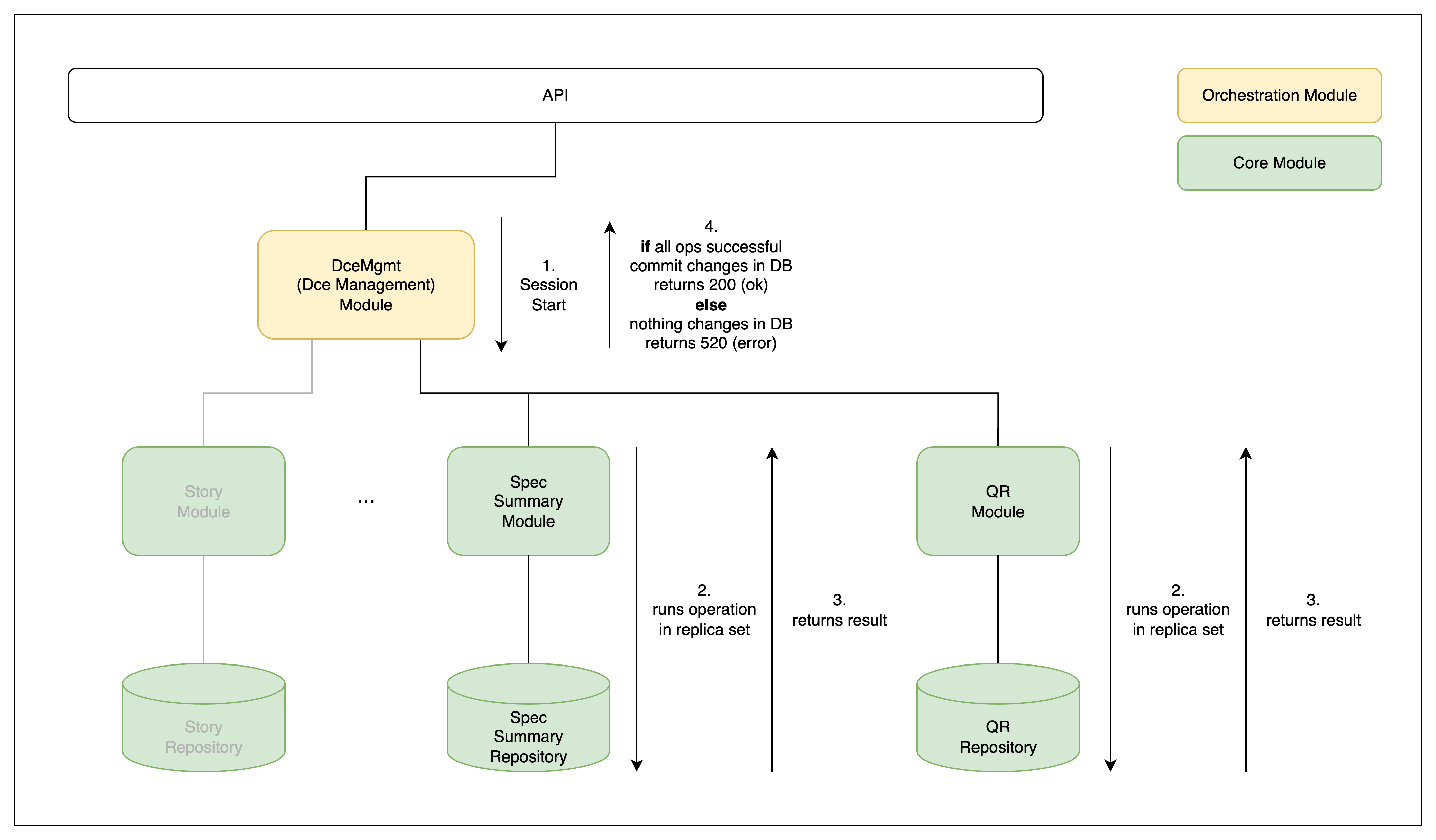 End-to-end flow: API → orchestration module → core modules → session commit/rollback
1. Orchestration starts a session
A request comes in via the API and routes to the corresponding orchestration module. If that module needs to handle multiple CUD (create, update, delete) operations across its managing core module(s), it fires up a session.
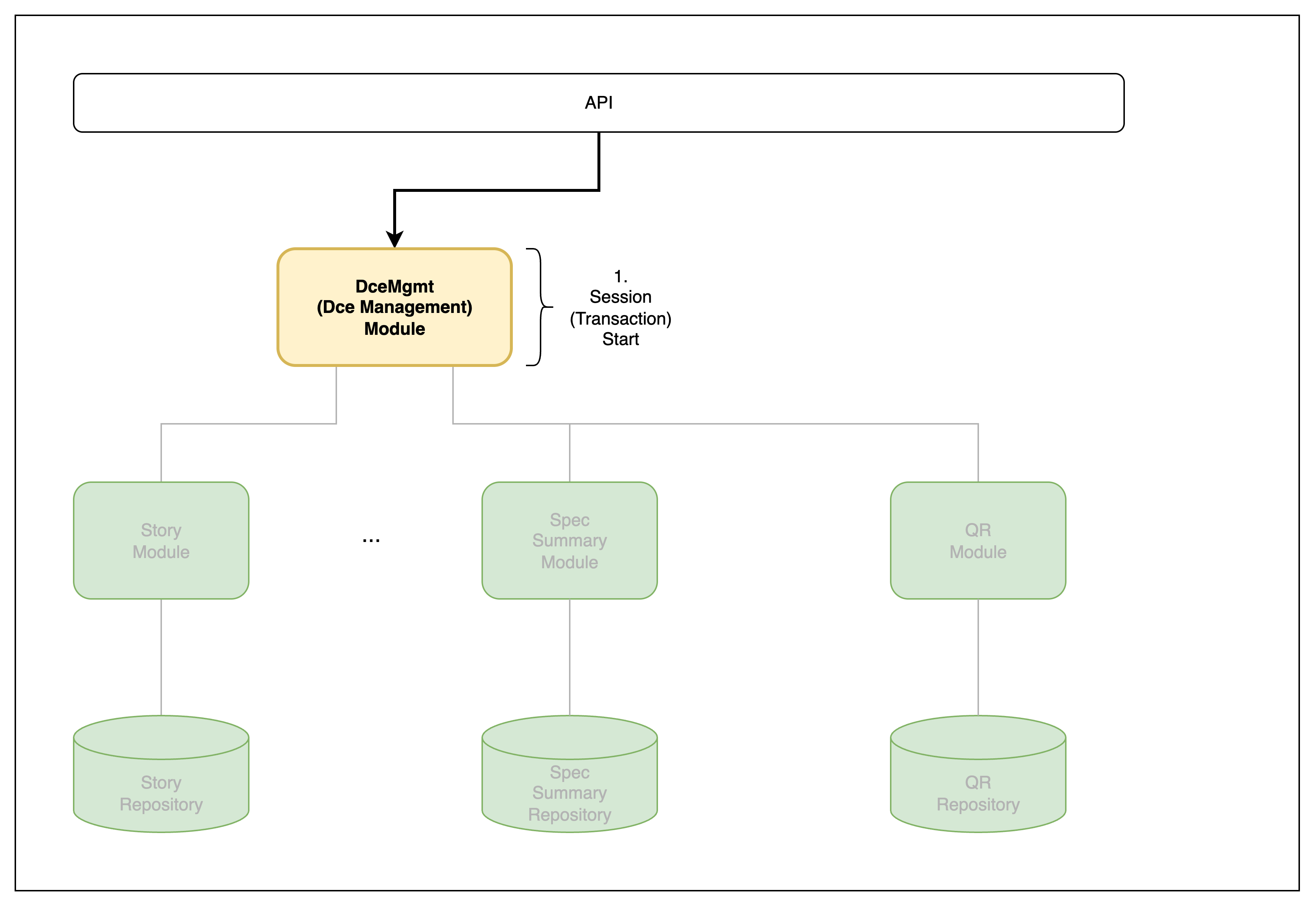 Step 1 — orchestration opens a session
Relevant code snippets
1
2
3
4
@Post('order')
async createOrder(@Body() dto: CreateOrderDto) {
  return this.orderOrchestrationService.createOrder(dto);
}
1
2
3
4
5
6
7
8
9
10
11
12
13
14
15
16
17
18
19
// Orchestrates a multi-collection write: persist the order,
// decrement inventory, queue a confirmation — all inside one
// session, so any failure rolls the whole thing back.
async createOrder(dto: CreateOrderDto): Promise<{ message: string }> {
  this.logger.log('createOrder called');

  // read-only setup happens OUTSIDE the transaction — keeps
  // the critical section as short as possible.
  const customer = await this.customerService.findById(dto.customerId);
  if (!customer) throw new NotFoundException(`customer ${dto.customerId} not found`);

  return withTransaction(this.connection, async (session) => {
    const order = await this.orderService.create(dto, customer, session);
    await this.inventoryService.decrementStock(dto.items, session);
    await this.notificationService.queueOrderConfirmation(order.id, session);

    return { message: `order ${order.id} created` };
  }, { operationName: 'createOrder' });
}
2. Core modules run the CUD under the session
Each selected core module runs its CUD operation under the given session, surfacing any errors back to the orchestration.
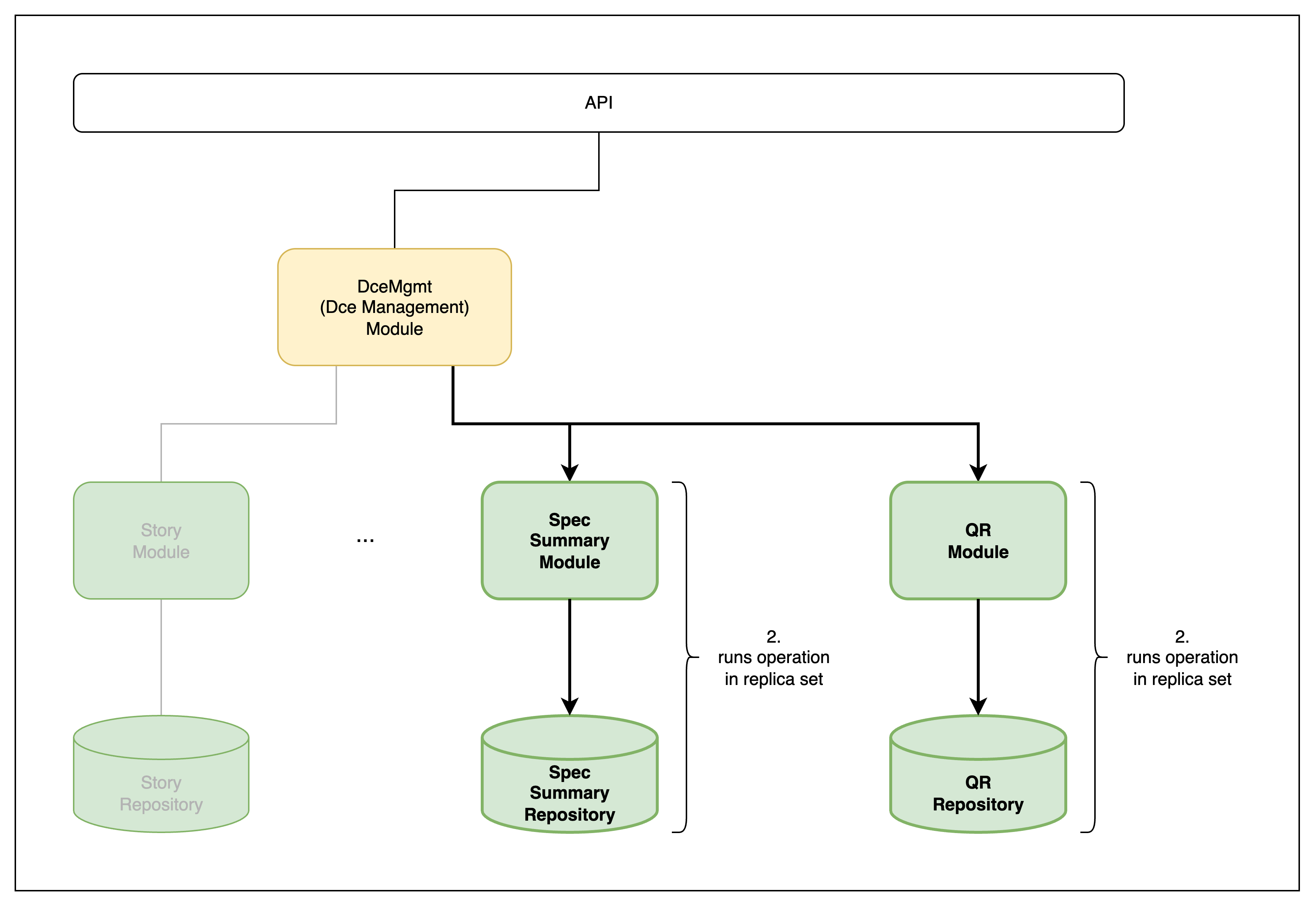 Step 2 — core modules execute under the session
Relevant code snippets
1
2
3
4
5
6
7
8
9
10
11
12
13
14
15
16
17
18
// `session` is an OPTIONAL param — a standalone single-document
// write doesn't need a session, but when called from an orchestrator
// the parent's session must be threaded all the way down.
async decrementStock(
  items: OrderItem[],
  session?: ClientSession
): Promise<void> {
  this.logger.log('decrementStock called');

  for (const item of items) {
    const updated = await this.inventoryRepository.decrement(item.sku, item.qty, session);
    if (!updated) {
      // Throwing inside the session triggers an abort — the surrounding
      // withTransaction wrapper rethrows as a 409 TransactionException.
      throw new ConflictException(`SKU ${item.sku}: insufficient stock`);
    }
  }
}
1
2
3
4
5
6
7
8
9
10
11
12
13
async decrement(
  sku: string,
  qty: number,
  session?: ClientSession
): Promise<InventoryDocument | null> {
  // Conditional update: only succeeds if stock >= qty, otherwise returns null.
  // The `{ session }` option is what binds the write to the parent transaction.
  return this.inventoryModel.findOneAndUpdate(
    { sku, stock: { $gte: qty } },
    { $inc: { stock: -qty } },
    { new: true, session }
  ).lean().exec();
}
3. Results pass back to the orchestration
The result of each operation in the session is passed back to the orchestration module.
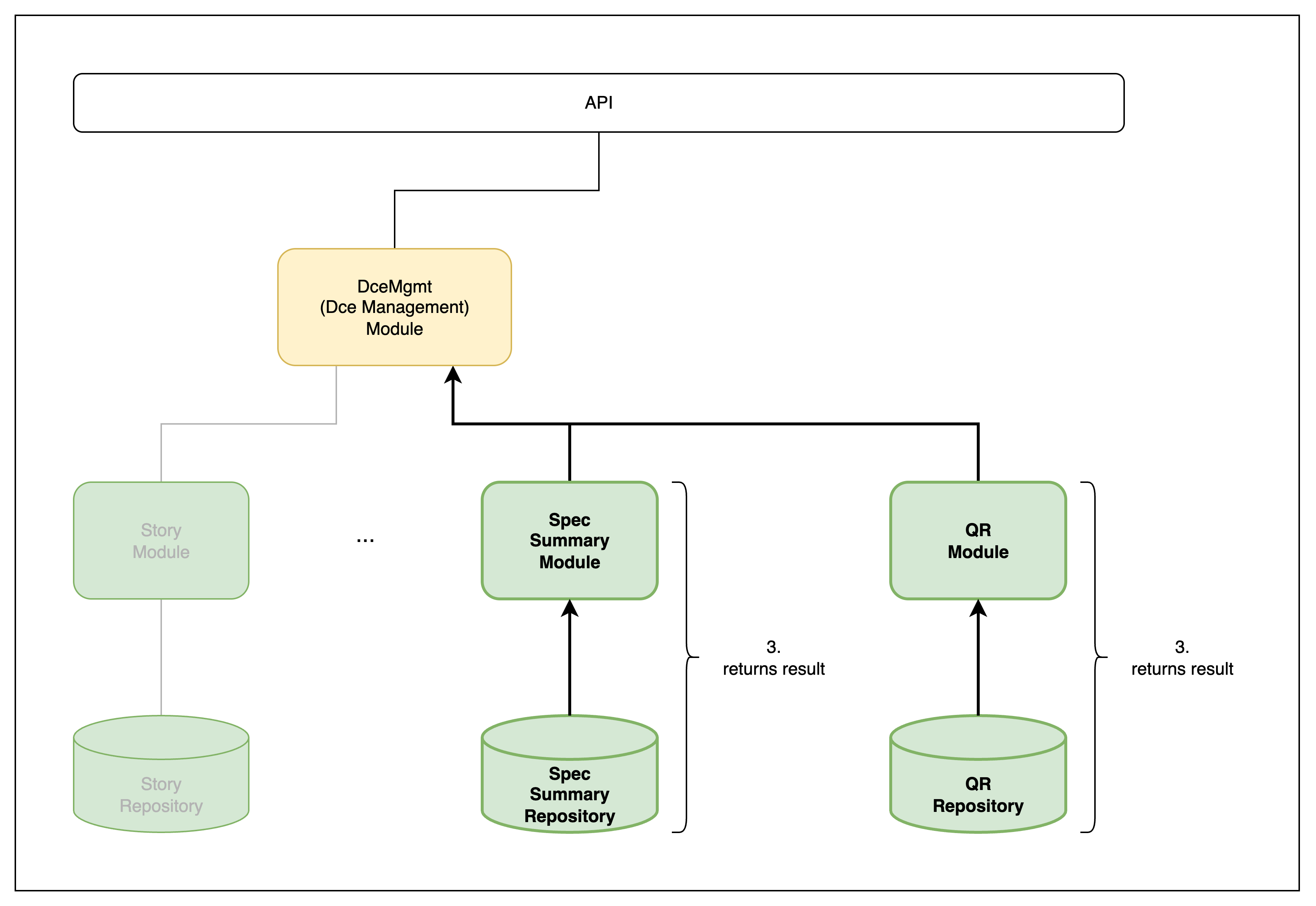 Step 3 — results return to orchestration
4. Orchestration returns 200 or 409
The orchestration module returns either 200 (HTTP OK) or 409 Conflict (signaling that the transaction aborted due to a write conflict or other session failure), based on the values returned by its core module(s).
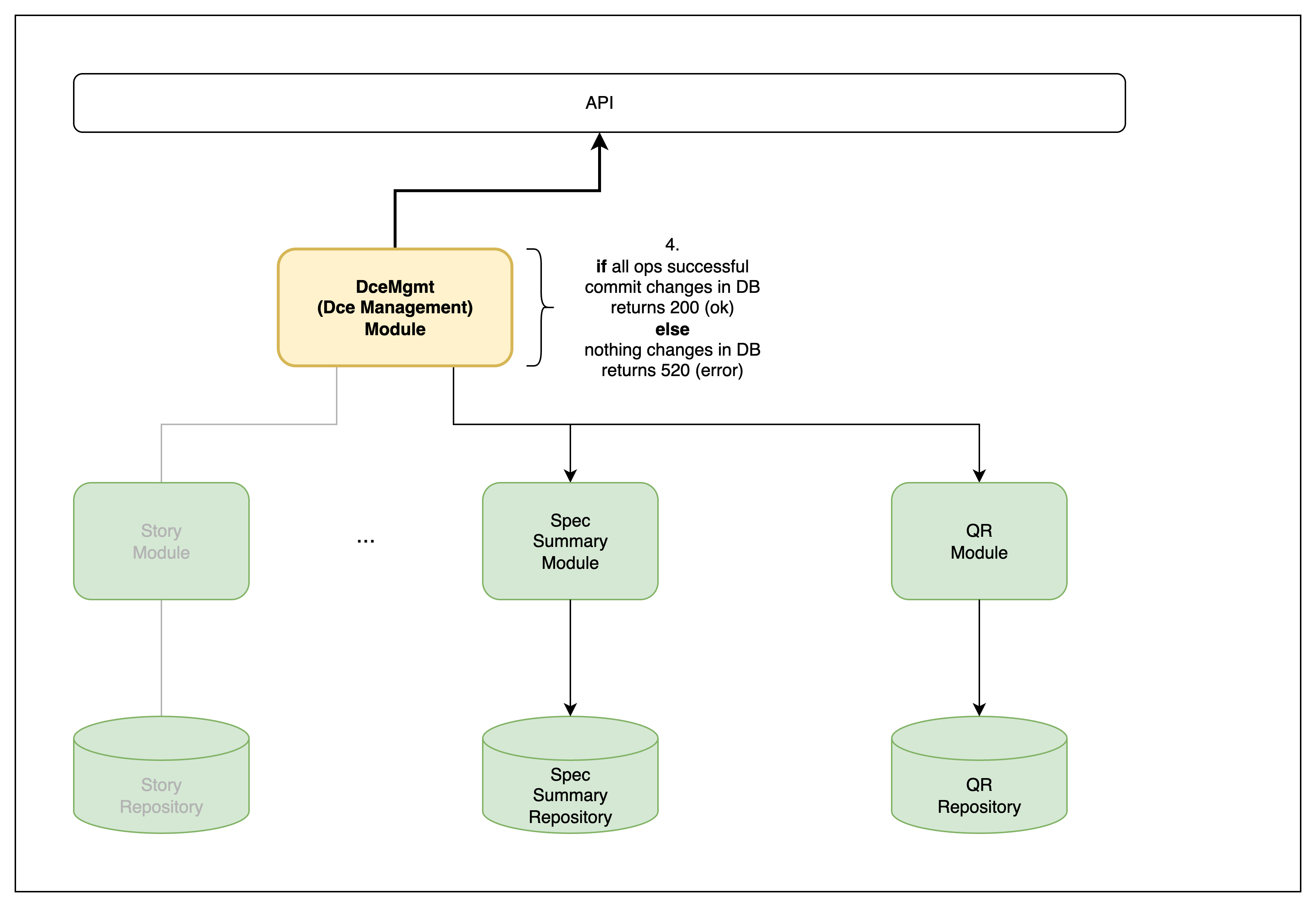 Step 4 — orchestration returns the final HTTP response